Executing Selenium tests with Python (pytest) using GitHub Actions
You can find the working project on GitHub.
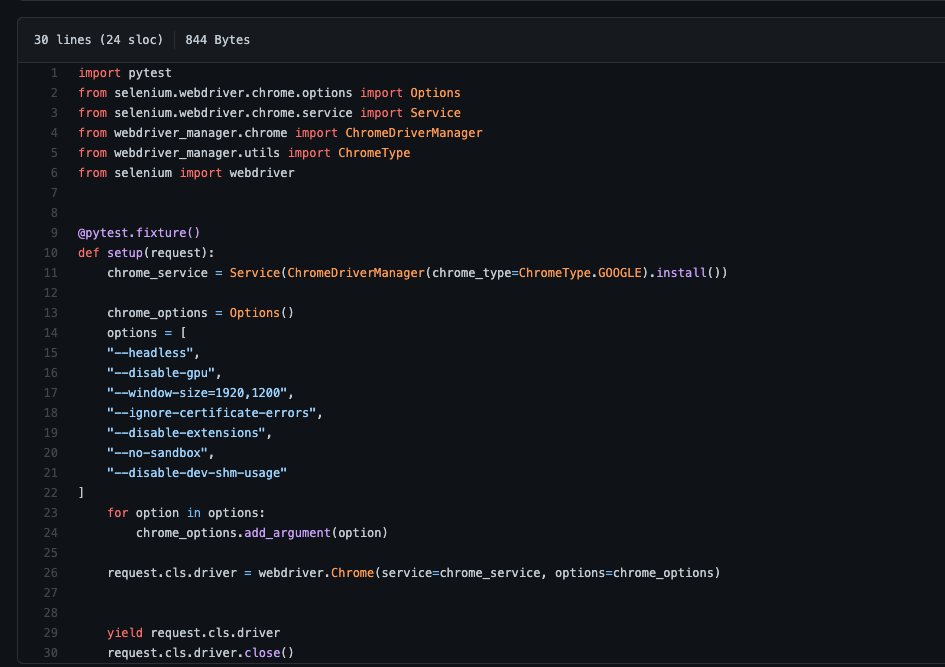
First we’ll create some example tests. I’ll be using Selenium with Python (pytest), so for this example I’ll create two files — one called conftest.py and the second one called test_web01.py.
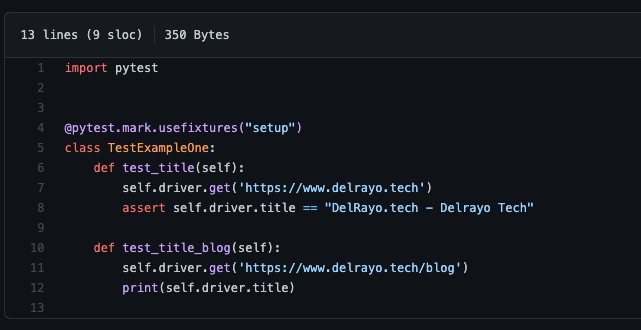
Now let’s create the second file where the actual tests live.
For running with GitHub Actions we have to create the following file structure in the repo:
.github/
└── workflows/
    └── test01.yaml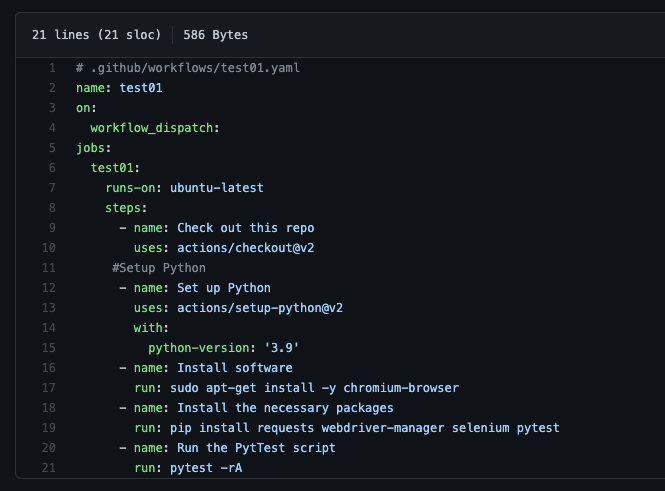
Now go to the Actions tab on GitHub, select the workflow named test01, and click Run workflow.
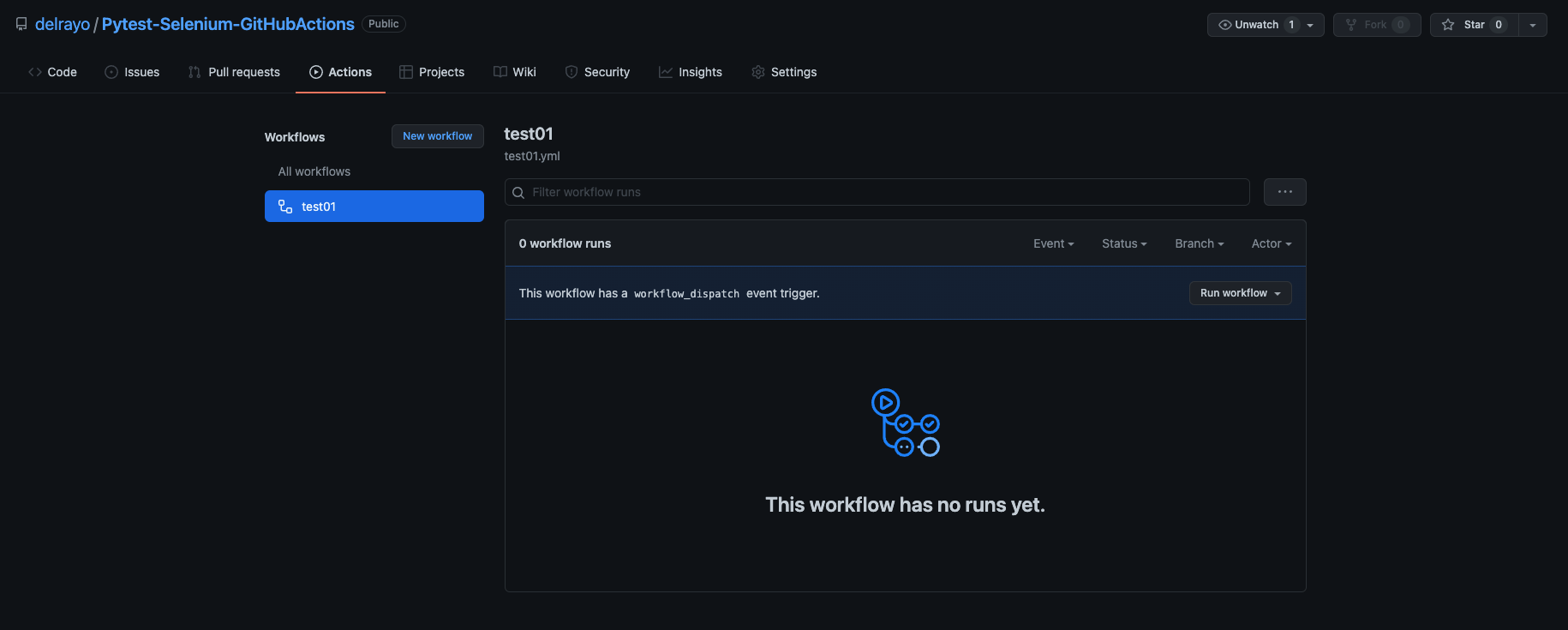
You can configure this workflow to execute on different triggers by modifying:
on:
  workflow_dispatch:
With any of the available events.
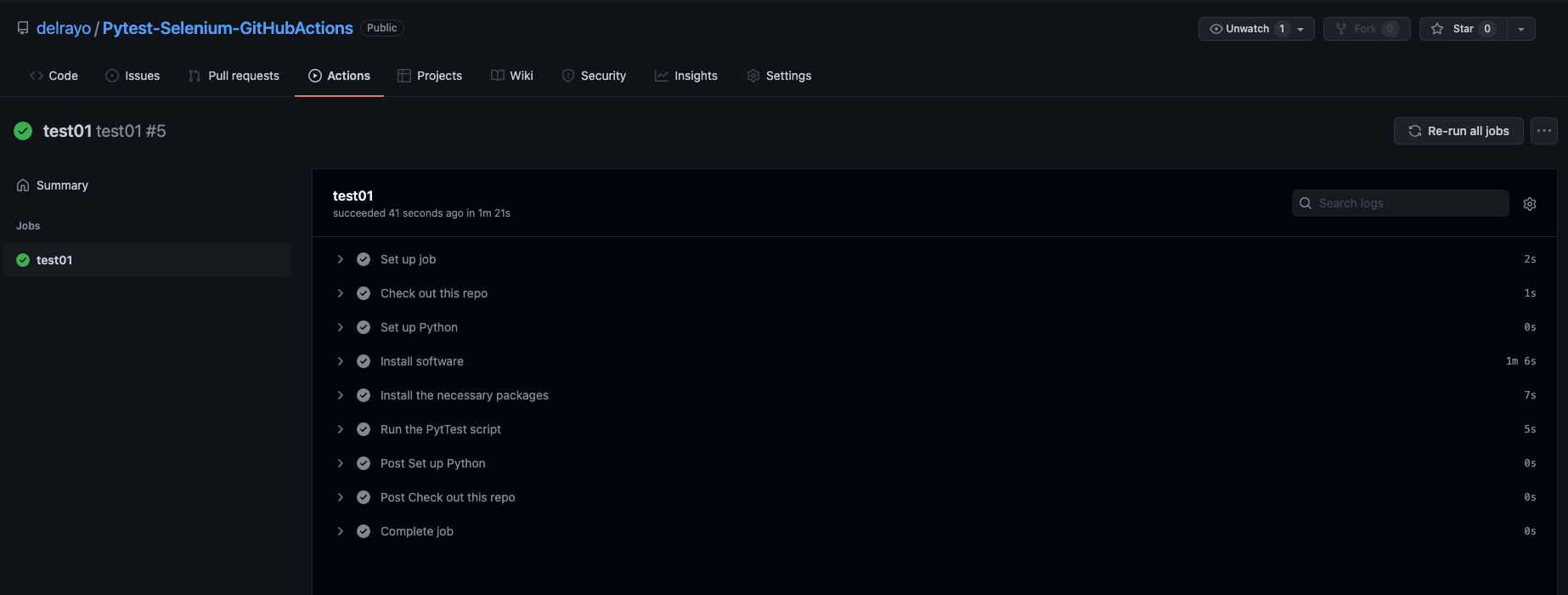
You can find the working project here.